A Backup Plan for December: Ensuring You Have a Spare Payment Terminal
December often brings a burst of customers and higher-than-usual restaurant sales, but it also increases the risk of technical mishaps. A backup payment terminal reduces lost revenues from downtime if your primary terminal fails. It helps keep service flowing smoothly despite network overload, adverse weather, or heightened customer demands. An extra device not only protects your income but also boosts staff confidence and customer satisfaction. Combined with digital solutions—like QR code-based payments—a backup option provides peace of mind during one of the year’s most profitable and chaotic months.
The Year-End Rush: A Unique Challenge
It’s not just business as usual. According to the National Restaurant Association, holiday traffic can account for a significant chunk of annual sales in restaurants. People come out to celebrate with family, reconnect with old friends, or treat themselves to festive dinners. With the foot traffic peaking, your payment system becomes the backbone of your operation—any glitch or delay can tarnish the experience and potentially send guests elsewhere.
Most months, a small hiccup in your card reader is a nuisance at best. But in December, that same hiccup can blow up into a major headache. Customers might be on a tight schedule, racing between holiday errands and office parties. A delayed payment or a system error can create confusion, slow table turnover, and even spark negative online reviews. While some quick-service spots might urge customers to come back and pay later, that possibility works only if you have a solid relationship with the local community. For many restaurants trying to build trust in a competitive environment, this is not an ideal solution.
An extra payment terminal can meaningfully streamline your December rush. Think of it like having an extra stove burner during peak dinner hours—one more tool to keep your kitchen churning out delicious entrées on time. Whether you use it as a primary device during peak dinner rush or stash it away as a fail-safe, a spare terminal ensures you can keep the line moving and the cash registers ringing.
Common Payment Challenges in December
The rest of the year may already be challenging in terms of managing staff, customer satisfaction, and overhead costs. But December poles vaults those challenges to a whole new level. Here are some payment-related issues you could encounter around the holidays:
- Hardware Failure: Payment terminals often work nonstop and can suffer from wear and tear. In a high-volume month, the constant usage can push an older device to its breaking point.
- Software Glitches: Network overload is common in December, especially if you share a crowded Wi-Fi connection. High data traffic can cause unexpected slowdowns or crashes on your POS system.
- Power Outages: With winter storms, localized power cuts are more frequent. If your primary bank card device loses power, you need a quick alternative to keep revenue flowing.
- Bank Issues: Occasionally, it’s not your hardware that fails, but the card networks themselves experiencing delays or downtime due to increased holiday shopping volume.
- Human Error: End-of-year fatigue is real. Busy staff juggling many tasks may accidentally reset a machine or forget a crucial step, causing disruptions.
All these scenarios underline the importance of having a backup plan. With a spare device or alternative means of payment, you won’t be caught off guard if any of these issues arise.
Why a Backup Payment Terminal Is Essential
A backup terminal doesn’t just save you from worst-case scenarios; it can also elevate everyday service quality. For instance, if your restaurant has multiple floors or outdoor seating during mild December nights, placing an extra terminal closer to those tables can speed up transactions, improving table turnover.
Consider the following benefits in particular:
- Business Continuity: Keep the cash flow constant. Even if your main terminal fails, a backup ensures immediate service. A seamless handoff means no chaos at the register.
- Expanded Capacity: During peak hours or large events, having two or more terminals speeds up the process, reducing lines and wait times.
- Better Customer Experience: Diners appreciate quick checkout options. Keeping extra devices around means you can bring the payment process to them, rather than funneling everyone to one station.
- Peace of Mind: The intangible but real value of knowing you’ve reduced your risk. December is stressful enough; no one wants the added worry of a crashed terminal.
Remember when you decided to get that extra freezer for the holiday season because you knew you’d need extra storage? Think of a backup payment device in the same way. It’s an investment in smooth operations during the most hectic time of year.
A Quick Word About QR-Based Payment Solutions
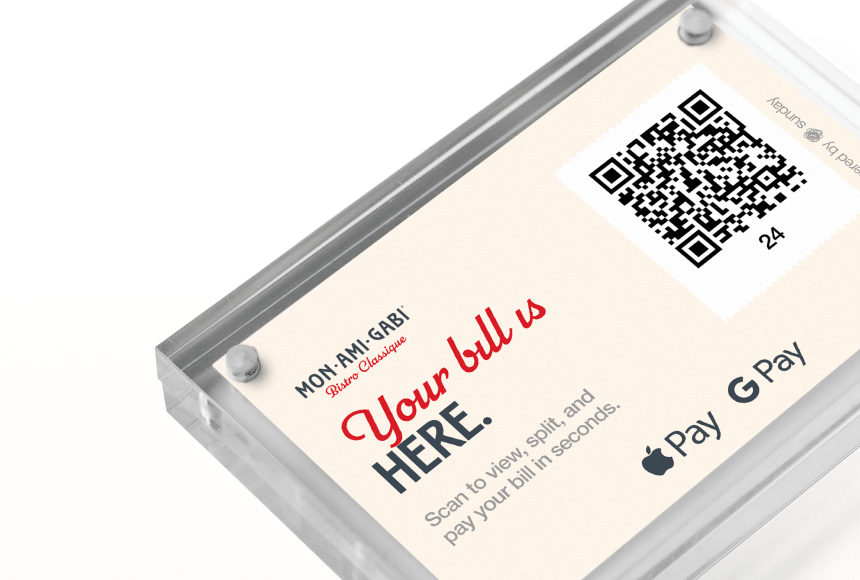
Technology has opened doors for faster, more innovative transactions. QR code-driven payment solutions, such as sunday, let your guests pay right at their table by scanning a code—no card swipe required, no standing in line. A big plus is that these solutions can also remind customers to leave a tip or even write a quick online review, which is vital for capturing December’s surge in new visitors.
Implementing a QR payment platform can serve as a complementary backup if your regular payment terminal fails. If your main system goes down, your server can simply direct diners to scan a QR code on the receipt (or even on the table), where they can securely pay via their smartphones. This helps avoid large backups at the counter and keeps your staff from rushing around looking for a last-minute solution.
Of course, you also want a physical solution as a fallback. Not all guests feel comfortable scanning a code or performing digital transactions on the spot. Having these options side by side provides flexibility while covering all your bases.
Creative Strategies for December Backup Readiness
“Backup terminal” might sound straightforward—just buy or lease a second card reader and stow it beside the main one, right? That’s one approach, but there are several ways to modernize your payment safety net. Below are a few suggestions that can fit different budgets and restaurant types.
- Dedicated Spare Device: The traditional route is to have a second, fully configured payment terminal. Make sure it’s integrated with your POS system and your inventory software (if applicable), so it can take over without interruption.
- Tablet or Mobile POS: Many modern restaurants now use tablets with card readers. If you already have a mobile POS solution, keep a spare device fully charged for use during busy nights. It’s easier to handle and can move around to tables with ease.
- QR-Driven Fallback: As mentioned, adopting a QR payment system is an easy way to offload some transactions. Even if your terminal is working fine, customers can pay at their own pace. During holiday volume spikes, encouraging customers to use a QR code can help reduce lines and free up staff for more pressing tasks.
- Offline Mode: Some modern POS systems offer an offline mode that stores transactions locally if the internet drops. This can be combined with a spare device that has a built-in 4G or 5G connection, so you’re not fully reliant on the restaurant’s Wi-Fi or cable internet.
No matter the strategy, the core idea is redundancy. If your only line of defense fails, you lose revenue and diminish guest satisfaction. By setting up multiple safety nets, you can prevent small stumbles from turning into full-blown disasters.
Spotlight on Training Staff
An emergency backup plan is only as solid as the team trained to deploy it. As a restaurant owner, you probably already hold periodic staff meetings about menu updates, daily specials, or new health protocols. Dedicate a portion of those meetings—or schedule a special session—on how to activate and use the backup payment terminal.
Cover these basics:
- When to Switch: Make sure employees recognize the warning signs. Hint: If the primary terminal consistently freezes, logs out, or shows connection errors, it’s time to switch to the backup.
- How to Operate the Backup: Give clear, simple step-by-step guidance. Keep a concise one-page guide near the register for easy reference. Then, let staff practice scanning or inserting cards so they’re comfortable with it.
- How to Communicate With Guests: If you’re switching over in the middle of a rush, let guests know you’ve got it handled and that the backup is working perfectly. A calm, confident approach can keep customers from feeling uneasy.
- Reset Procedure: Educate staff on how to reset or reboot the main device, and how to return to it once the glitch is resolved. Having a standard process ensures no confusion or double-charges for your patrons.
You may even designate a “tech champion” on each shift—a person who will immediately handle any device issues. This can streamline problem-solving, rather than having all staff members look around, uncertain of who’s in charge.
Budget Considerations: Is a Backup Terminal Worth It?
It’s natural to ask: “Is another piece of hardware going to be worth the cost?” The answer often depends on the volume of December sales and how big a hit you’d take if your main payment device went down for a day, an evening, or even an hour.
Think about the potential losses in that scenario:
- Missed revenue from customers who walk out rather than wait for a solution.
- Decreased customer satisfaction leading to lower tips and negative word of mouth.
- Delays in table turnover, cutting into peak holiday dining windows.
- Added stress and confusion for your team.
These intangible costs can quickly outweigh the monthly lease or purchase cost of a second device. In many cases, you can find budget-friendly options. Some providers offer short-term rentals or seasonal packages specifically for the holiday rush.
It’s also worth exploring local technology grants or support for small businesses. Restaurant Business Online often features insights on current funding opportunities or leading-edge solutions that can be more cost-effective than you might initially guess.
Maintaining a Seasonal Backup: How to Make It Happen
Not every restaurant needs a second payment terminal running year-round. If December is your prime time, you could keep a scalable approach in place. For instance, lease or rent a second device from November through January, then reassess once the holiday crowd thins.
Here’s a practical outline:
- Assess Peak Times: Identify weeks or specific events when you expect a spike in traffic. It might be weekends, the build-up to Christmas Eve, or New Year’s festivities.
- Secure the Device: Ask your payment processor if they offer short-term solutions. Alternatively, check with scheduling services or local business associations—some might have temporary resources available.
- Test in Advance: Before the rush hits, run a few test transactions. Make sure all relevant staff know how to handle the device and any potential connection issues.
- Track Its Performance: Keep a simple log of how often you used the spare terminal. Did it make a difference in throughput, customer satisfaction, or staff efficiency? Reviewing this helps you plan next year’s strategy.
Like a holiday pop-up shop, a seasonal terminal can be just what you need to glide through December without friction and keep your brand image polished.
Business Continuity: More Than Just Payment Terminals
While this article focuses on having a backup payment device, December continuity planning should be holistic. Stock up on extra supplies, ensure your staff is well-trained and well-rested, and keep a contingency plan for severe weather or staff shortages.
If you want to host special holiday events, do a mini risk assessment: “What if I lose power for an hour in the middle of a private party? What if the internet goes down when a large group wants to split the check six ways?” In each scenario, a second terminal or alternative payment method could be your ultimate lifesaver.
Practical Example: A Dishwasher Wobbling on Christmas Eve
Picture a cozy, mid-sized Italian restaurant on Christmas Eve. The place is packed, families are exchanging gifts, and the aroma of garlic bread is drifting through the air. Suddenly, the dishwasher malfunctions. Simple enough problem, but it underscores how small crises can spiral fast when a restaurant is at full capacity.
Servers get backed up waiting for clean plates. The manager scrambles to find a solution. Meanwhile, one of your staff members tries to serve extra bread to keep customers happy. Then, your main payment terminal slows to a crawl because the staff is relying on the same Wi-Fi network for all their tasks, plus a quick search for dishwasher repair tips.
This is the moment you’re relieved you invested in a backup payment device. Instead of piling more stress onto the manager, a server quickly grabs the spare device and starts processing payments at tables. You keep customers moving, ensure satisfied diners can tip easily, and minimize the friction caused by mechanical issues in the back. The entire meal continues running smoothly, even if not perfectly. When everything is resolved, you and your team can heave a collective sigh of relief—and use that second device to run final checks, too.
Turning Backup Preparedness Into a Positive Selling Point
Having a second payment terminal can sometimes be spun into a marketing advantage. Guests appreciate seeing a business that is organized, technologically savvy, and prepared for unexpected situations. This projects a sense of professionalism and reliability.
If you use a QR-based solution like sunday as well, you could even highlight it on your menu (“Pay conveniently via QR at your table!”). Some guests will find this small detail modern and thoughtful. And if those customers later want to share positive reviews on Google, they’re only a quick click away from praising your restaurant’s seamless payment process.
Adopting a Mindset of Resilience
Beyond saving the day for your December bottom line, a backup mindset fosters resilience within your entire team. You become more flexible with reservations, more agile in responding to surges in demand, and more confident that no single device (be it dishwasher, beverage machine, or payment terminal) can compromise the quality of your diners’ experience.
Encouraging this proactive, can-do spirit sets an example for your employees. Everyone feels empowered to keep an eye out for potential problems and to respond swiftly. You transform from a team that’s merely reacting to issues, to a team that’s driving solutions and staying a step ahead of the typical holiday chaos.
FAQ
Below are a few frequently asked questions restaurant owners bring up when considering a backup payment terminal for the busy holiday season.
Q: Do I need to purchase a whole new device, or can I lease a second terminal?
A: Many providers allow short-term leases or rentals, which can be ideal if you only need the device for peak seasons. Check with your payment processor or look for specialized rental services that cater to temporary equipment needs.
Q: Aren’t mobile POS systems enough as a backup?
A: A mobile POS with an attached card reader can absolutely function as a backup, especially if it has a cellular data plan. It’s good practice to test it in advance and ensure your staff can handle it if the main system falters.
Q: What if the internet goes down completely?
A: Some POS providers offer offline transaction storage, which allows you to collect payment data and process it later. However, having a device with a separate cellular connection can be even more reliable. That way, you don’t rely on a single internet source.
Q: How do I minimize staff confusion when switching to a backup system?
A: Training is key. Walk your team through all the steps of switching terminals, so they know exactly what to do if problems arise. Keep a concise guide by the register, and designate a point person on each shift for tech issues.
Q: If my backup terminal is QR-based, do I still need a physical device?
A: QR-based solutions are fantastic when customers are comfortable using them, and they can quickly bypass network or hardware problems. However, it’s smart to keep at least one physical payment option available, so you can accommodate every type of diner—especially those without smartphones or those who prefer a traditional card payment.
In a season when every moment counts, having a backup payment terminal is like an insurance policy for your restaurant’s cash flow and reputation. December rush or not, your operation’s smooth function should never hinge on just one piece of hardware. Whether you go for a second device, a mobile POS, or a QR code solution like sunday, the most important piece is peace of mind.


 0min
0min
 0min
0min