Master the Dinner Rush: How QR Menus Help You Avoid Order Mix-Ups
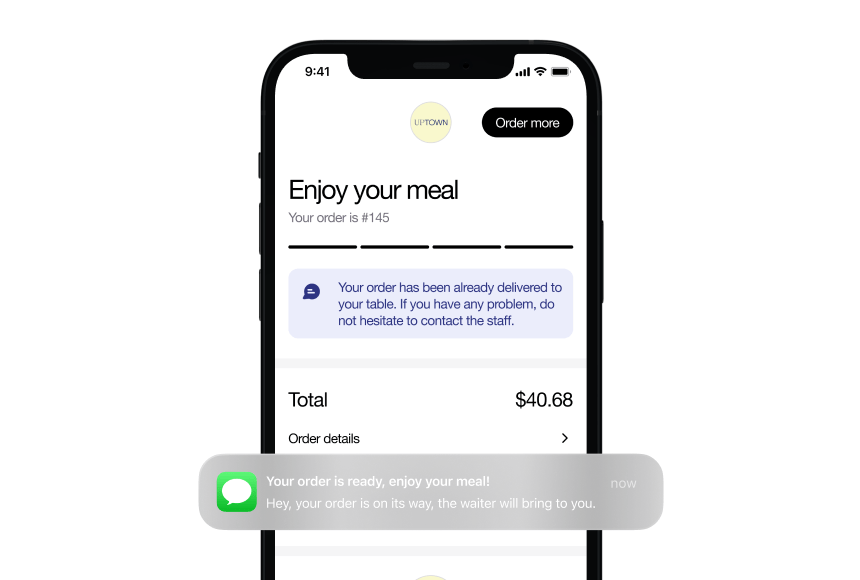
Many restaurants face order errors whenever service gets hectic. By switching to QR menus, staff no longer have to juggle paper copies and scribble down hurried requests. Customers view and order from a single digital source, ensuring they see current items and prices. This real-time accuracy reduces back-and-forth clarifications. Using QR menus can also streamline communication between front-of-house and kitchen teams. Freed from fumbling with paper menus, servers spend more time engaging guests and less time second-guessing orders. Ultimately, QR menus help restaurants deliver consistent, error-free experiences—even during peak hours.
Why the Stakes Are So High During Peak Hours
Most restaurant owners know the exhilarating—and sometimes nerve-wracking—feeling of a packed dining room. Rush hours, especially weekend dinner service or weekday lunch peaks, can be both the most profitable shift and the biggest headache. It’s that whirlwind moment when tables fill up at lightning speed, every guest wants water and bread simultaneously, and your staff is zigzagging around with loaded trays.
While a bustling atmosphere is a sign of success, it’s also when the margin for error grows razor-thin. Servers may rely on quick scribbles to keep track of customizations. A small oversight—like reading an order incorrectly or forgetting to note that a burger should be without onions—can lead to wasted food, comped meals, and disappointed guests. These slip-ups not only eat into your bottom line, but they also damage your reputation if customers walk away feeling dissatisfied.
Getting orders right during the busiest times can dramatically boost revenue and customer loyalty. That’s where QR menus step in, offering a digital ally in the battle against chaos. By presenting your menu in real time, these codes eliminate out-of-date pricing and ensure that any item shortages or daily specials are promptly reflected. This is a lifesaver when you already have a line at the door and no time for constant reprints.
Traditional Menus vs. QR Menus: A Quick Comparison
Physical paper menus have a classic charm—there’s something about flipping through a printed list of delicious offerings. But in an industry where changes happen quickly, especially during busy shifts, printing new menus or crossing out items with a pen can lead to confusion. Here’s a quick look at how QR menus stand out from the old-school approach.
| Aspect |
Traditional Paper Menu |
QR Digital Menu |
| Accuracy |
Reprints needed to reflect changes. Stale or mismatched info is common. |
Real-time updates, ensuring correct prices and availability. |
| Customer Experience |
Familiar format, but can be bulky or worn out. |
Quick access via smartphone. No need to wait for a menu handoff. |
| Implementation Cost |
Printing, design, and repeated reprints can add up. |
Initial digital setup, then minimal maintenance. QR codes can be updated instantly. |
| Hygiene |
Menus may pass through many hands. |
Touchless access, especially appealing since the rise of contactless trends. |
Digitizing your menu essentially puts your offerings right in people’s pockets. Scanning a QR code with a phone is second nature for most guests nowadays, especially as digital-savvy diners grow in number. You’ll usually see that once customers get used to scanning, they appreciate having the full menu at their fingertips. Even more importantly, you can update any item or price on the go—ensuring your menu is never out-of-date, even if an unforeseen shortage arises halfway through service.
Reducing Mistakes with Real-Time Menu Updates
One major advantage of replacing—or supplementing—your printed menus with QR menus is the ability to make real-time changes. If your supplier delivers fewer portions of salmon than expected, or your kitchen realizes halfway through the evening that your famous coconut flan is 86’d (restaurant speak for “out of stock”), you can instantly remove that item. Voila—no further orders for an unavailable dish will sneak into the kitchen.
This nimble approach prevents the all-too-common scenario where a server hurries to the table after five minutes to apologize: “I’m so sorry, we’re out of that dish,” leaving guests disappointed. With QR menus, the disappointment is avoided at the source, because customers won’t even see an item once it’s sold out. This is a morale booster during those intense moments when you’re already juggling multiple demands.
On the flip side, if your chef decides to whip up a special appetizer mid-shift because you have fresh asparagus you want to highlight, you can add that dish in seconds. When guests tap to refresh the menu, they’ll see the new offering without any confusion. This real-time fluidity doesn’t just stop mistakes—it also opens doors for your restaurant to adapt and stay creative, even on the busiest nights.
Faster Communication Between Servers and Kitchen
A common pain point: as soon as you hit that dinner rush, staff communication can break down. Cooks might be shouting across the line that they need to 86 an item. Meanwhile, your short-handed supervisor is telling servers the news at different times. Before you know it, the message either doesn’t reach everyone or arrives too late. The result? Misinformation, comped meals, and an exhausted staff.
With a digital menu, as soon as the kitchen manager signals that a dish is becoming unavailable, they or a designated staff member can remove it from the digital menu platform in real time. Your entire crew, from the front-of-house team to hosts welcoming guests, remains on the same page. Servers just scan the QR code themselves or refresh the menu on a tablet to see the immediate update. No swirling rumors, no half-baked announcements.
This streamlined communication not only prevents costly mistakes but also fosters a sense of calm among the staff. Instead of racing table to table to deliver urgent news, you let technology handle the key announcements. The hustle remains, but you regain that feeling of professional control—a huge plus for morale.
Putting Guests in the Driver’s Seat
Effectively, QR menus also empower your customers. They can browse at their own pace, scroll through pictures if you add them, and check special instructions or allergen information without waiting for a server to track down answers. This is particularly valuable when a table is full of dietary restrictions or picky eaters. Instead of a tug-of-war for a single paper menu or an out-of-date sheet listing potential allergens, guests have constant digital access to an enhanced version of your menu.
When you allow for direct ordering through the QR menu, the risk of hearing “Wait, I didn’t ask for mushrooms!” plummets. The order can be logged through a digital interface, recorded precisely as selected—no penmanship errors or memory lapses. And if a mistake happens, it’s usually traceable to the user’s selection, not your staff’s misunderstanding.
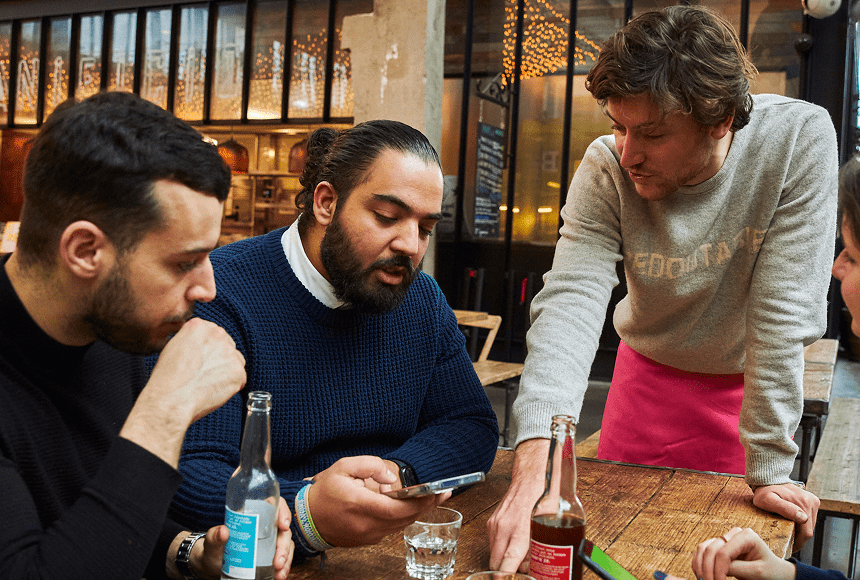
Of course, you can maintain a level of personal service. Many restaurants that adopt QR menus for ordering still keep servers on hand to answer questions, bring the human touch, and expedite the process. But the technology reduces friction and ensures important details aren’t lost: an absolute game-changer when you’re buried under dinnertime tickets.
Culinary Metaphor: The Magic of Mise en Place in Menu Management
“Mise en place” is that culinary principle of having everything prepared and in its place before the cook starts. The same concept is at play with QR menus: you want to have all your menu data in order, properly labeled and ready for instant updates. Think of the QR platform as your digital mise en place—constantly helping you stay organized and streamline decisions.
Like a well-stocked station, a thorough digital menu includes:
- Allergen Details: Clear labels for gluten-free, vegan, and other dietary categories.
- Dish Descriptions: Succinct, enticing descriptions to prevent confusion about ingredients.
- Upsell Suggestions: Pointers for side dishes or wine pairings that your servers might otherwise forget when rushed.
- Prices: Always up-to-date, so no staff or customer surprises.
- Availability: An up-to-the-minute reflection of what’s truly on hand in the kitchen.
When your digital mise en place is well-maintained, you effectively reduce the time wasted on clarifications. Just like a chef with neatly diced onions and measured spices, your menu is ready to roll even when the going gets tough.
Practical Steps to Introduce QR Menus
Shifting from paper to digital might sound daunting if you’re used to the old routines. Below are practical steps to ensure a smooth integration that benefits you, your staff, and your guests:
- Start with a Reliable Platform: Choose a digital menu system that’s easy to manage and fully customizable. For example, some solutions—like the platform offered by sunday—let you generate and print your own custom QR codes. Others integrate with your existing point-of-sale software. Make sure you shop around for a solution that suits your restaurant’s volume, style, and existing technology.
- Test and Tweak Before Launch: Upload your entire menu, with thorough descriptions and allergen notes. Test how it appears on various smartphones. Make sure the code scans easily from different angles or lighting conditions.
- Train Your Staff: Your servers should know how to troubleshoot a QR code that won’t scan, how to guide customers through the digital ordering process, and how to access real-time item availability. This training can be as straightforward as a quick demonstration followed by role-playing.
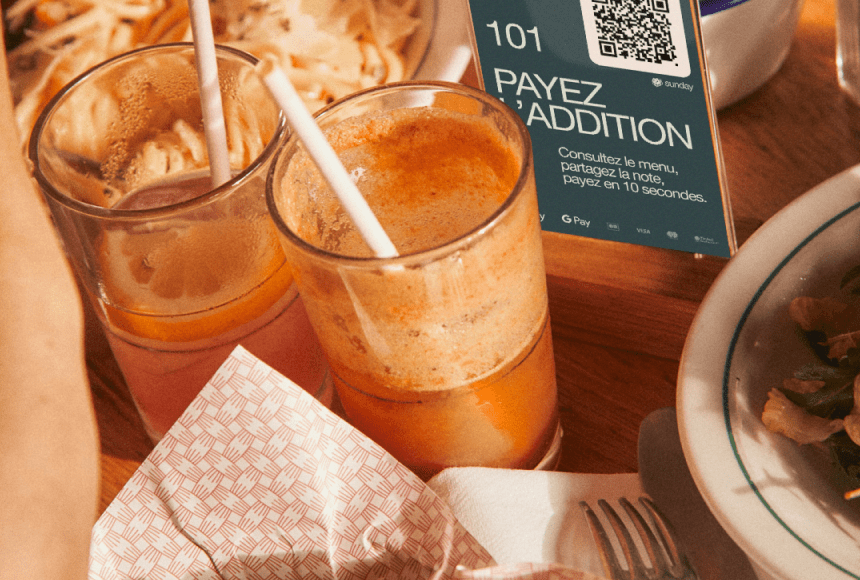
- Announce It to Customers: Let diners know you’re offering a QR menu option. Place signage at the entrance, add a note on your website, and have your hosts or greeters explain how it works to new guests. Consider printing small cards on each table with instructions.
- Offer Both Options Initially: For customers who prefer paper menus or might be uncomfortable with digital devices, have a physical menu on standby. This ensures a smooth transition for everyone, preventing friction.
By approaching the rollout one detail at a time, you’ll quickly see how digitizing your menu can become a routine part of your restaurant’s operations—like flipping the open sign each morning.
Common Questions and Resistance (and How to Tackle Them)
Once you mention QR menus, you’ll likely hear a few concerns: “My customers are older and don’t use smartphones,” or “Won’t this depersonalize the dining experience?” These are valid questions. But industry trends show that even guests who may not be tech-savvy are increasingly comfortable scanning codes—particularly if your staff remains available to help. It’s not about making servers obsolete but enhancing their ability to provide top-notch service.
For those who worry about poor internet connectivity, you can provide free Wi-Fi and test the codes to ensure the pages load quickly. Some digital menu systems also have offline options or minimal data requirements. Prioritize user-friendliness in your platform choice, and reassure guests that your servers are always there to assist.
It’s worth noting that many restaurants across the United States have adopted QR menus since the pandemic significantly accelerated the uptake of contactless dining solutions. In fact, the National Restaurant Association reports that contactless ordering and payment options remain popular after the initial public health push. Customers now often expect a tech-driven approach that helps them order and pay with minimal hassle.
Enhancing the Payment Process: Going Beyond Menus
QR menus are only part of the equation. Once diners finish their meal, you still face the friction point of payment. Typically, a server has to drop off the check, run a credit card at the POS terminal, and bring back receipts for signing. During busy hours, that means delays, potential errors in splitting bills, and the dreaded “Where’s my card?” moment. It’s a bottleneck that can blunt an otherwise stellar dining experience.
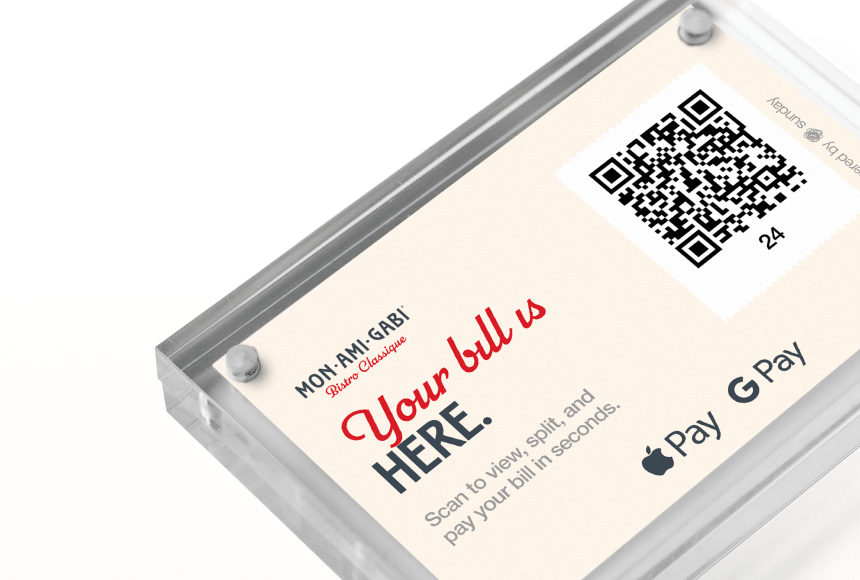
Imagine if your restaurant offered a simple QR payment option on the check itself: customers scan, settle the bill, leave a tip with two taps, and go. With certain platforms, you can even prompt them to leave a quick Google review, ensuring the good vibes travel from your dining room to your online reputation. This solution is exactly what sunday does: letting guests pay right away so staff can focus on the next group waiting to be seated. The effect? Less time spent juggling multiple checks, fewer card-handling errors, and more peace of mind for everyone.
In a bustling restaurant, every second counts. Speedier payment translates into more efficient table turnover, which can help your bottom line—and reduce the frustration of a crowd in your waiting area. By integrating QR menus with a touch-free payment system, you create a cohesive, modern experience that’s easier for both customers and your team.
Real-Life Example: The “Green Pepper Grill” Makeover
Consider a mid-sized establishment we’ll call the “Green Pepper Grill.” The owners relied on paper menus that had to be updated monthly for seasonal dishes. They’d reprint 50 or 100 copies each time, and staff inevitably found inaccuracies. During busy nights, confusion arose whenever an item sold out, leading to multiple comped meals. Guests became annoyed when a “specialty dish” was advertised yet not available.
One especially frantic Friday, the shortage of a key ingredient forced them to scramble in the kitchen—eight different tables had ordered that dish. Worse, the staff forgot to inform two tables that the item was no longer available. The fiasco cost them time, money, and a few negative online reviews.
The owners decided enough was enough. They introduced a QR menu system, gradually removing most paper menus and training servers to guide customers through scanning. The owners also integrated the digital menu with a direct ordering feature. This ensured that orders were recorded precisely and that an item disappeared as soon as it ran out. They further refined the approach by adding a “Pay by QR” option on the receipt. Suddenly, the entire process from seat to check felt more streamlined.
Post-launch, the Green Pepper Grill saw their ticket times drop. Servers felt more confident in the accuracy of every order, and the kitchen rarely had to remake dishes. Guests appreciated the quick turnover and liked having the option to pay without flagging down staff. Over time, these small improvements translated into higher daily revenue and glowing online feedback.
“We used to think QR codes were too impersonal,” the manager said. “Turns out, they’ve freed us to spend more quality time talking food and wine with our customers. We’re not just running around verifying if they can still get the salmon special.”
Measuring Success and ROI
When investing in any new restaurant technology, you’ll likely ask: Will it pay off? While every business has its unique metrics, here are some tangible markers you can track to see how QR menus benefit your bottom line:
- Reduced Order Errors: Track how many dishes get returned or comped due to mistakes, and compare before vs. after the QR menu rollout.
- Time Per Table Turn: Observe whether tables are moving faster now that guests can pay at will, freeing up staff for other tasks.
- Staff Efficiency: Notice if your servers handle more tables with the same quality of service, thanks to fewer interruptions and quicker ordering processes.
- Customer Satisfaction: Monitor online reviews (for instance, on Google or social media) for feedback about order accuracy and overall dining experience.
- Printing Cost Savings: Factor in how often you no longer need to reorder physical menus or correct printing errors.
Gathering data on these metrics for a few months can highlight clear trends. Many restaurant owners find that the cost of implementing a digital menu solution is quickly offset by tangible boosts in productivity and guest satisfaction. As reported by Nation’s Restaurant News, the industry’s move toward more streamlined, tech-enabled processes often correlates with increased growth.
Empowering Your Staff: Training and Support
Of course, no amount of great tech can truly succeed unless your team embraces it. Tips for staff buy-in include:
Explain the “Why” behind the transition to a digital menu. Emphasize it’s not about replacing the personal touch but eliminating repetitive tasks so they can focus on higher-value interactions. Staff members in a well-run restaurant thrive on making customers feel special, not standing in line for a clunky payment terminal or rewriting smudged orders.
Offer Hands-On Practice. Don’t just talk about QR menus in a rushed pre-shift meeting. Schedule a short training period. Let staff play the role of customers, scanning the code themselves, exploring the menu, and placing mock orders. This approach builds confidence and reduces any anxiety about technological hiccups.
Provide an Ongoing Feedback Loop. Encourage servers and kitchen staff to voice concerns or suggest improvements. If something isn’t user-friendly, you can often adjust the system’s interface. A small tweak—like reorganizing the categories, or adding step-by-step instructions for customers—can mean fewer questions and a smoother workflow.
When your employees see how QR menus help them avoid mistakes, earn higher tips, and give better service, they’re likely to become strong advocates, guiding customers through the process with genuine enthusiasm.
Playing the Long Game: Future Trends
Technology evolves quickly, and QR menus are a telling sign of where the restaurant industry is heading. As contactless solutions become more refined, you might see additional innovations emerging:
- Integration with Loyalty Programs: Frequent guests might scan the same code to gain loyalty points automatically—a simple, fast way to encourage repeat business.
- Menu Personalization: Some systems are exploring ways to remember customer preferences, offering suggestions based on past orders, allergies, or favorite customizations.
- Automated Upselling: Real-time combos or promotions that pop up when a diner selects certain items, taking some burden off servers to do last-second add-ons.
- Language Flexibility: Especially helpful in tourist-heavy areas, QR-based menus may seamlessly offer multiple language options, reducing errors from language barriers.
While such features can be exciting, it’s important not to overload your customers or staff with too many bells and whistles. Sometimes simpler is better—give them the essential functionalities: a clear, accurate menu and straightforward payment. Then gradually build from there if your clientele appreciates the extras.
FAQ
Below are common questions restaurant owners and operators often ask before introducing QR menus into the hustle of busy services:
1. Will older customers or those without smartphones be alienated by QR menus?
While it’s true that some guests might be hesitant, the shift toward digital menus is broadly accepted. You can still keep a few printed menus on hand—for example, laminated copies that you can quickly disinfect and reuse. Your servers can guide guests through scanning if they have smartphones but are unsure how to do it. This balance ensures no one feels excluded.
2. Are QR menus secure for payment and data?
As with any technology, choose trusted providers and secure payment solutions. Many digital menu platforms use encryption and partner with reputable payment gateways for credit card transactions. Always verify that your provider meets industry security standards.
3. Do I need a strong internet connection for QR menus?
Most QR-based systems do rely on a stable internet connection. If your Wi-Fi is weak, consider upgrading or adding a dedicated network for customer use. Some digital tools are optimized for low-speed connections or offer offline functionality, but you should still aim for reliable connectivity to keep everything running smoothly.
4. How tricky is it to keep digital menus updated?
Maintaining a QR menu is often simpler than reprinting physical menus. If you sign in to your management dashboard, you can add or remove items in seconds. This real-time flexibility not only prevents mistakes but also gives you the freedom to make special offers whenever you want.
Switching to QR menus can feel like a leap, but it’s a natural progression in a world where diners already rely on their phones for everything from directions to reservations. By embracing this technology—coupled with training, a little empathy, and a welcoming approach—you’ll find your peak rush hours run more smoothly and your restaurant’s reputation blossoms along with your revenue.


 1min
1min
 1min
1min