How to Serve Your Customers Faster with Quick-Response Ordering
Long queues and delays have always been a challenge in busy restaurants, affecting customer satisfaction and revenue. QR ordering can streamline service by letting guests view menus, place orders, and pay digitally, all without needing to flag down a server. This faster, easier process helps restaurants turn tables more efficiently, increasing satisfaction and profits. By eliminating paper menus, it also reduces printing costs. Crucially, the warm human touch isn’t lost: servers gain time to engage with guests in a more personal way. Implemented correctly, QR ordering blends technology, hospitality, and convenience seamlessly, cutting wait times and boosting tips while offering safe digital payment options.
1. Recognising the Cost of Waiting
Few things spoil a dining experience like having to wait an eternity for service. Picture this: a bustling Friday evening, a full dining room, and a queue of hungry guests slowly losing patience. As a restaurant owner, you know that every minute counts; prolonged waiting can eat away at your profits faster than a ravenous diner tucking into a plate of chips.
When customers wait too long to place an order or settle their bill, several issues arise. Some may simply walk away, heading to a competitor who can serve them more promptly. Others might stick around but leave a negative review for having to wait. According to a study by HospitalityNet (https://www.hospitalitynet.org/), negative online reviews can reduce a restaurant’s revenue by up to 12%. That’s a big chunk of your hard-earned takings at stake, all because of sluggish service.
There is also the hidden price of staff burnout. Servers under pressure might meet new arrivals with a tired glare rather than a warm smile. And that sort of environment can lead to higher staff turnover, which further increases costs. But there is a quick, innovative solution to streamline the flow: QR ordering.
2. Breaking Down QR Ordering
Quick-Response (QR) ordering is often described as the “self-checkout” of the restaurant industry. But unlike the cold scan-and-beep of a supermarket, QR technology can be integrated smoothly into your establishment’s existing brand and service style. Instead of rummaging for a paper menu, customers scan a small QR code at their table using their smartphone camera, open a digital menu, and place their order online—simple as that.
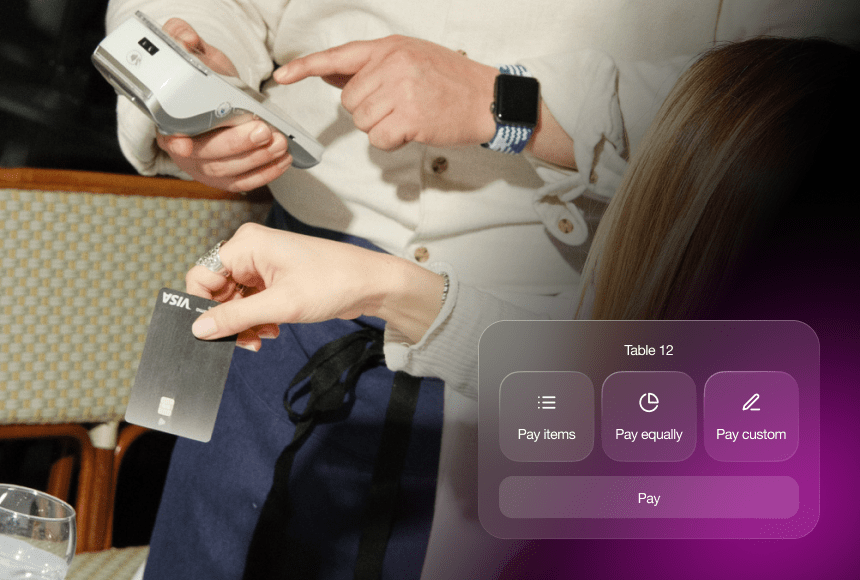
In many cases, guests can also pay digitally without waiting for a physical card machine to arrive, meaning no more repeated trips to the table by your staff. And if your QR ordering system integrates with a payment provider, offering tips becomes a straightforward step, rather than an awkward moment of waiting while the server processes the payment.
Naturally, restaurant owners may worry that technology might reduce personal interaction. Quite the opposite can happen when it’s done right. By reducing repetitive tasks (like running back and forth with paper bills), your servers can focus on becoming gastronomic guides, sharing daily specials, suggesting wine pairings, and adding that personal flourish that builds real connection.
3. Speeding Up Service without Sacrificing Warmth
Let’s talk about the front-of-house perspective: with traditional methods, a customer often needs to signal a server to order starters, then wave them down again for mains, and finally endure another wait to pay. Meanwhile, the server juggles multiple tables and tasks—like preparing desserts or dealing with the booking system—not to mention constantly scanning the room for a hand in the air. It’s a dance that can easily turn into a tango of missed steps, especially on a busy night.
Enter QR ordering. By giving customers direct control over their menu exploration and ordering process, you reduce the time lost in that repeated back-and-forth. One fluid step replaces three or four separate tasks. Plus, restaurants can include images of dishes, allergy information, and even suggested add-ons in the digital menu—paving the way for higher average spend.
Now, does that mean you lose the human element that makes restaurant service so special? Absolutely not. Servers can spend more time greeting customers warmly, ensuring water glasses are topped up, sharing cooking stories, or even suggesting the perfect dessert to round off the meal. Stronger connections often translate into higher tips, so it’s a true win-win for both parties.
4. The Positive Ripple Effect on Your Restaurant
By reducing long wait times, you can increase table turnover, which naturally boosts revenue. But the benefits extend well beyond simply serving more tables:
- Efficiency Gains: Time previously wasted walking to and from a point-of-sale terminal (or chasing a payment terminal) can now be used to deliver extra bread baskets, check on customers, and ensure an overall smoother service.
- Simplified Staffing: Leaner operations allow your existing team to manage peak times without feeling overworked, meaning greater job satisfaction and less staff turnover.
- Enhanced Guest Experience: When guests feel looked after rather than overlooked, you cultivate loyalty. Repeat diners often become ambassadors, recommending your restaurant to friends and family.
- Digital Payments and Tipping: With integrated digital payments, you can encourage a tip-friendly environment. People frequently tip more when there’s a simple on-screen prompt, compared to rummaging for loose change.
5. A Closer Look at Implementation
If you’re sold on the idea of QR ordering but feel overwhelmed, there’s good news: the process can be relatively straightforward. The first step is finding a platform that meets your core needs—user-friendly menu design, secure payments, and easy integration with your existing systems. In most cases, that means linking up with a developer or a ready-made solution like sunday, which offers a neat system to get your QR codes, menu, and payment capability all in one.
Next, consider staff training. While QR technology is meant to reduce staff workload, your front-of-house team must be comfortable guiding customers who are less tech-savvy. Remember, some diners may be unfamiliar with scanning phone codes, or they might not have mobile data. Make sure your team can offer a quick demonstration, and consider having a fallback option—like a small card menu or a tablet—for those who need extra help.
Additionally, test your Wi-Fi setup. Customers will struggle with a glitchy menu if your internet is patchy. Offer a guest Wi-Fi network with a stable connection for a smoother experience. You might want to consult your internet provider or hire an IT specialist to ensure everything runs seamlessly before rolling out the QR ordering system to your entire restaurant.
6. Enhancing Customer Engagement
There’s sometimes a misconception that adding a layer of technology between diners and the staff will depersonalise the experience. Actually, used thoughtfully, QR ordering can help you build a stronger rapport with customers. By simplifying routine tasks, you and your team have more bandwidth to share the story of your dishes—where do you source your ingredients? Which local farm do you partner with? Are there any quirky backstories to your daily specials?
At the same time, the digital interface can incorporate playful elements. For instance:
- Personalised Upsells: A craft beer suggestion that pairs perfectly with your iconic burger, or a sweet dessert combo that fits the evening’s mood.
- Comment Section: Ask a fun question—“What’s your favourite hidden gem in the city?”—and encourage diners to share their thoughts when they place the order.
- Immediate Feedback: Add a star rating or quick poll after the meal. You can gather timely insights for improvement.
This isn’t about turning your restaurant into a tech hub. It’s about making technology work for you in subtle ways that improve the overall dining experience, showing customers you’re proactive and modern while preserving a warm human face.
7. Overcoming Hesitations and Challenges
It’s natural to have some reservations about embarking on this digital journey. One common concern is whether older customers might struggle with QR scanning. In many cases, once they are shown how it works, they find it surprisingly accessible. You might already see older guests fiddling around with a smartphone to take photos or keep up with loved ones—scanning a little code is not such a big leap.
Another worry is the cost of implementation. Can a small, independent bistro really afford to adopt QR ordering? You can start small. Many providers offer tiered subscription plans based on your volume of orders or number of tables. The cost savings from printing fewer paper menus, improving table turnover, and selling more add-on items often outweigh the monthly fees. Also consider the intangible benefits: fewer negative reviews, less staff burnout, and more repeat business.
Finally, some owners worry that a high-tech approach might not align with a rustic or heritage-themed restaurant. Yet, you can brand and design your digital menu to match your existing vibe—whether that’s sleek minimalism or cosy nostalgia. Keep the menu visuals on-brand, include mouth-watering photos of your dishes, and let your unique personality shine through.
8. Balancing Tech with Tradition
Think of QR ordering as a modern tool that can augment tradition rather than replace it. Just as a chef invests in a sharper knife to improve consistency and speed, a restaurant can invest in QR technology to enhance service while keeping cherished customs alive. You can still greet guests with a genuine smile, top up their water glass, and recommend your daily special. The difference is that you’re cutting out a lot of the waiting and friction that annoys diners the most.
Some high-end restaurants even use QR codes for wine lists, which can dramatically speed up the selection process. If someone wants to know more about a vintage, they can read a detailed description or watch a short video from the vintner right on their phone—complete with tasting notes or food-pairing suggestions. It’s like having your own digital sommelier at every table, freeing your staff to do what they do best: deliver personal attention and care.
9. Real-World Success Stories
To see tangible results, let’s imagine The Copper Kettle, a fictitious but typical British gastropub outside London. Before introducing QR ordering, they had consistent complaints about slow payments, especially on Sunday afternoons when families gathered for roast dinners. The staff felt equally frustrated, running circles around the pub with payment card machines.
Once The Copper Kettle adopted a QR solution, the staff found they could seat new customers more quickly because previous tables were now cleared faster and bills settled sooner. Diners improved their feedback, praising the convenience and how quickly their pints arrived. According to the pub’s manager, revenue from drinks alone jumped by 15%, mainly because customers felt more relaxed ordering a second (or even a third) round without waiting to flag down a server.
That’s the power of technology used responsibly. Keep in mind, success never comes overnight. The pub did its share of staff training, tested the system during quieter weekday lunches, monitored early feedback, and continuously tweaked the digital menu’s design. But once they found their rhythm, the only real question was: “Why didn’t we do this sooner?”
10. Practical Tips for Rolling Out QR Ordering
Here are a few pointers if you’re feeling ready to give QR ordering a go:
- Plan Your Menu Layout: Make digital menus visually appealing. Include mouth-watering images, concise descriptions, and clear allergen information so guests know exactly what they’re getting.
- Test Thoroughly: Try scanning the codes yourself on different smartphones and browsers. Ask friends or family to do the same to catch any hiccups.
- Train Your Front-of-House Team: Empower your staff to act as “digital ambassadors” who can help guests navigate the new system quickly and confidently.
- Promote In-House: Add a small table sign or mention on your printed materials indicating “Scan to Order & Pay.” Make it unmistakably clear. If people don’t notice it, they won’t use it.
- Maintain a Personal Touch: Encourage staff to strike up conversations with diners, explain menu items, and stay attentive. Let the technology handle the busy work so your human side can shine.
11. Integrating Feedback and Continuous Improvement
Any successful restaurant owner knows the real secret to longevity: you never stop evolving. Once you set up your QR ordering system, the journey is just beginning. Pay attention to customer feedback (digital or otherwise) to refine. If diners complain that the images are too small, tweak them. If they want more detailed allergy information or ingredient sources, add those in.
Regularly update your digital menu to reflect seasonal changes or new dishes. If it’s asparagus season and your chef has crafted a fresh asparagus soup, highlight it visually. You have more flexibility with a digital platform—no more reprinting menus each time you modify a dish. This adaptability not only keeps your menu fresh, it also delights regular customers who discover something new each visit.
And don’t forget about cross-promotion. If your restaurant has a presence on social media or you run a weekly newsletter, mention how diners can use QR codes to order. You can even conduct a poll on social platforms—did people find the process intuitive? Did it shorten their wait? Engage them in the conversation, and they’ll feel more invested in your establishment’s success.
12. Spotting the Wider Industry Trend
The transformative power of QR ordering isn’t just anecdotal. The Office for National Statistics (https://www.ons.gov.uk/economy/grossdomesticproductgdp/bulletins/gdpmonthlyestimateuk/) notes that digital adoption in the UK’s hospitality sector has risen significantly in recent years. While online delivery services initially led the charge, in-house technology has followed suit—particularly for contactless payments and mobile ordering.
This uptick is not merely a passing phase triggered by global events; customers have grown accustomed to convenience. They like the control and speed of digital processes, whether that’s booking a taxi, ordering a pair of trainers online, or scanning a QR code for their dinner. Restaurants that resist change risk slipping behind, losing out to forward-thinking competitors.
Meanwhile, the industry’s emphasis on sustainability is also pushing establishments to reduce paper consumption, making digital menus all the more appealing. By embracing QR ordering, you’re not only modernising your service, you’re also taking a small—but meaningful—step toward a greener operation.
13. Adding sunday into the Mix
Though several QR ordering systems exist, sunday has carved out a unique spot in the market by combining user-friendly design with a smooth payment interface. For busy restaurants, that means a zero-hassle approach to capturing orders, processing tips, and collecting honest feedback. The platform aims to enhance the dining experience on both sides of the service.
The best part is that you don’t have to be a tech expert. sunday is specifically designed so restaurant owners can easily set up table-specific QR codes, design an appealing digital menu, and greet customers with the convenience they crave. Your staff remain vital, but they’re freed to do what humans do best: engage, advise, and create memorable moments.
14. Tying It All Together
Reducing long wait times without compromising the warm glow of hospitality might sound like a tall order, but QR ordering provides a solid recipe for success. The trick is to remember this: technology should enhance, not replace, the personal touch. When harnessed smartly, QR codes help you serve your customers quickly, boost tips, and turn tables at a comfortable pace—while your staff remain beaming ambassadors for your brand.
In our fast-moving world, customers expect speed and convenience in nearly everything. Embracing a QR ordering solution can turn wait-time frustrations into moments of delight. Picture your guests scanning a code, selecting from a vibrant menu, receiving dishes swiftly, and settling their bill without fuss—all while chatting happily with your staff. That’s the mark of a modern dining experience, polished with just the right sprinkling of digital flavour.
FAQ
How do I handle customers who are not tech-savvy?
Train your staff to offer friendly, step-by-step guidance. Consider having a backup paper menu or a staff-operated tablet on hand for those reluctant to use their own phones.
Is QR ordering secure?
Reputable QR ordering solutions use encrypted payment gateways similar to any trusted e-commerce site. It’s important to choose a provider with high security standards and a proven track record.
What if I operate a small café with just a few tables?
QR ordering can benefit smaller venues, too. Even with fewer tables, it speeds up ordering and payment, reduces menu printing costs, and gives you room to personalise the guest experience.
Won’t my servers lose tips if everything is automatic?
In practice, digital tipping prompts often result in equal or higher tips. When customers feel service is hassle-free, they’re often more likely to reward good hospitality.
Does QR ordering work with my existing point-of-sale system?
Many solutions, including sunday, integrate with common POS software. Check with your provider for compatibility and any extra modules or updates you might need.


 1min
1min
 1min
1min