Speeding Up Lunchtime with QR Code Ordering
Every minute counts when feeding customers on their lunch break. QR code ordering speeds up service and cuts out waiting times, letting guests browse the menu and settle their bill straight from their smartphone. This approach not only streamlines the customer experience but also boosts efficiency for your restaurant team. By digitising table service, staff can focus on delivering quality interactions, while diners appreciate the personalised, contactless and speedy process. Plus, with QR ordering, you can increase table turnover, encourage quick feedback, and gather more tips. It’s a versatile solution that suits modern lunch-goers who want an easy, fast, and upbeat dining experience. Ultimately, QR code ordering allows your establishment to keep pace with changing consumer behaviour and stay competitive in an evolving restaurant landscape.
1. Why the Midday Rush Matters
Lunchtime is a unique challenge for many restaurants in the UK. Office workers, students, and day-trippers often have a strict timeframe, meaning they can’t afford to wait too long for their meal. A slow service could turn away hungry guests who might opt for a quick sandwich shop or a grab-and-go alternative. In other words, if you can’t serve them in time, they’ll go elsewhere.
During this busy midweek period, high demand meets limited customer time. You need systems that run smoothly, from the moment diners sit down to the point they pay and leave. This is where QR code ordering comes in, blazing the trail for fast and efficient lunch service. While speed is everything, you don’t want to sacrifice quality or hospitality. QR ordering helps you strike that delicate balance.
2. Understanding QR Ordering: A Quick Definition
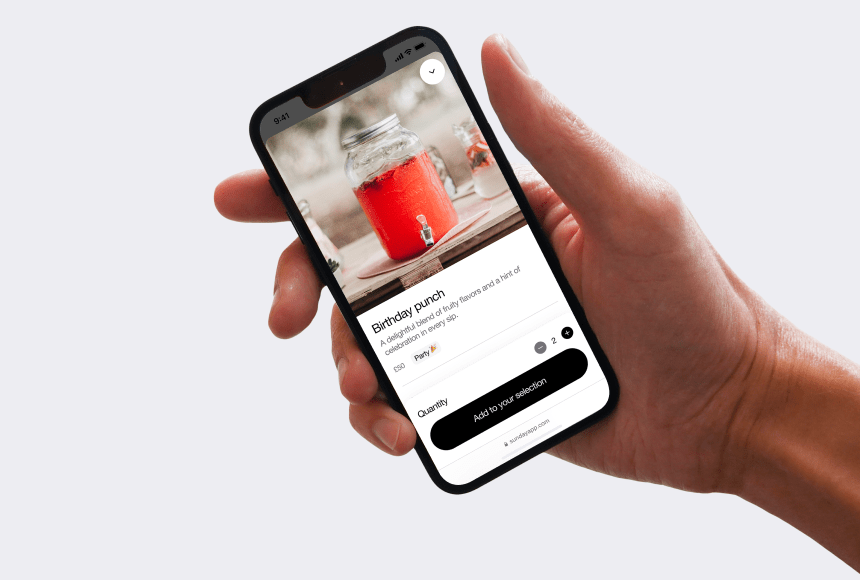
QR ordering is a system that leverages Quick Response (QR) codes — those square barcodes you scan with your phone — to display a digital menu, enable diners to place orders, and even complete payment instantly. Restaurants place a QR code on each table or in designated areas. Guests simply open their smartphone camera or a dedicated scanning app, focus on the code, and voilà: your menu pops up on their screen, ready for browsing.
Crucially, a customer doesn’t need to wait for staff to bring menus or return to take orders. Once the diners have made their selections, they submit them electronically to your kitchen. Payment can be finalised just as easily, often through integrated card payment systems, and the tip can be left in one simple tap. The result? A smoother experience and a rapid lunch service.
3. Benefits of QR Ordering for Quick Lunch Crowds
Why does this technology resonate so strongly with lunchtime diners? Because today’s consumer is used to the immediacy of online shopping, takeaway apps, and contactless payments. During a quick lunch break, they don’t want any fuss — and neither do your employees, who benefit from an optimised workflow.
- Time-saving: No waiting for paper menus or staff to be free. Orders land straight in the kitchen as soon as customers finalize them.
- Higher table turnover: With all the steps sped up, guests can get back to work or studies quickly, freeing up tables for the next group.
- Reduced staff workload: Less time spent on taking orders manually or dealing with repeated requests. Your team can focus on quality interactions.
- Enhanced customer experience: Customers feel in control of their dining journey. They can pay at any moment, splitting the bill or leaving gratuities easily if they wish.
- Data insights: Depending on the system you use, you can collect feedback, track popular lunch specials, or see real-time performance metrics to fine-tune your menu offerings.
4. Setting Up a Seamless QR Ordering System
Want to reap these benefits? You’ll need to implement your system carefully. Think about everything from branding to user interface and staff training. Here are a few pointers:
- Select the right platform: Do some research on reputable digital solutions, focusing on speed, reliability, and user-friendliness. Look at providers who design solutions specifically for restaurants, where menus can be updated quickly, and staff can track orders in real time.
- Integrate payment options: Guests expect flexibility. Make sure to accept major debit and credit cards, digital wallets, and any local favourites like contactless card transactions. For example, in the UK, contactless payments are now commonplace, so ensure your system is set up to handle them swiftly.
- Establish staff protocols: Train your team to troubleshoot, from seeing if a diner’s phone can’t read the code to handling partial discounts or comped items. Good communication channels between front-of-house and the kitchen are key.
- Design an appealing digital menu: The visuals on the screen need to be enticing and easy to navigate. Make sure to lock in appetising imagery, concise descriptions, and up-to-date prices. It’s your virtual storefront, so treat it with the same care as your physical menu.
Over time, you can refine your setup by looking at customer feedback and staff observations. Perhaps customers want bigger pictures, or they might prefer nutritional data. Listening and adapting will keep your system relevant and user-friendly.
5. Looking at Real-Life Examples
QR ordering has exploded in popularity over the past few years, particularly during and after pandemic-related restrictions. According to a 2022 survey published by BigHospitality (source), more than half of UK eateries surveyed planned to or had already implemented digital ordering tools. This shift shows how the industry rapidly adapted to a new normal, prioritising guest comfort and operational efficiency.
In practice, many top casual dining spots in city centres rely heavily on a quick lunch trade. By implementing QR ordering, they have slashed waiting times and even seen a rise in spontaneous upsells. Diners might add a side dish or dessert once they notice, “Oh, chocolate brownie with coffee is just one click away.”
6. Catering to Customer Needs at Lunchtime
When the clock is ticking, customers want to be sure they can fit in a sit-down meal and be back at their workplace or next class. At the same time, they don’t want to feel rushed in a way that compromises the dining experience. So, how do you find the perfect balance?
- Offer a quick lunch menu: Feature small plates or combos that are easy to prepare quickly. Emphasise popular lunch items that can be served in under 15 minutes.
- Use concise descriptions: Make sure your digital menu is straightforward, with minimal scrolling. Highlight the timesaving elements: “Ready in 10 minutes,” “Grab and go,” or “Express lunch special.”
- Display accurate wait times: Let people know if the kitchen is particularly busy. The transparency builds trust and allows diners to plan accordingly.
7. Encouraging Positive Feedback and Google Reviews
A hidden gem in QR ordering is how seamless it makes leaving a review. If you integrate a prompt at the end of the checkout or payment process, you can automatically invite diners to share their experience. It might be as straightforward as: “Enjoyed your lunch? Share a quick Google review!”
People often remember to leave a review when they’re still in the restaurant or just heading out. By placing a clickable link to Google Reviews at the end of the payment process, you can nudge your satisfied lunch crowd to post feedback while it’s fresh in their mind. More positive reviews mean better visibility for your restaurant on search engines, especially crucial for local SEO.
Meanwhile, if feedback isn’t up to scratch, you can handle concerns discreetly on-site. With the right digital platform, unhappy diners might be routed to a private feedback form, giving you a chance to address issues before they vent on social media.
8. Handling the Payment Process Efficiently
The payment stage often causes bottlenecks during busy lunch hours. Conventional card terminals may slow things down if there’s a queue of diners waiting for the bill. Here’s where your QR ordering solution can shine:
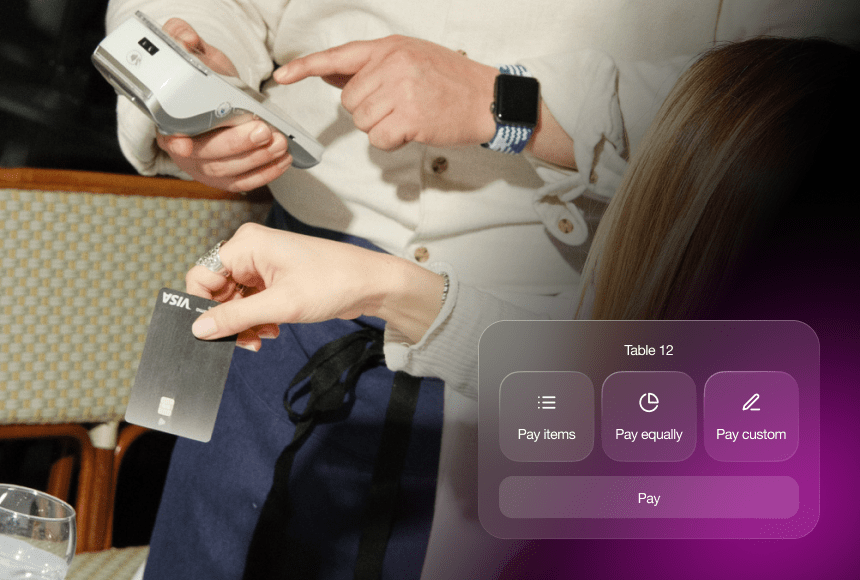
- Real-time bill splitting: No more awkward math. When each guest can pay individually on their device, your staff no longer has to figure out how to partition the bill for a swift midday transaction.
- Secure digital payments: Most QR solutions comply with Payment Card Industry Data Security Standard (PCI DSS). This reassures your guests their credit and debit cards, as well as digital wallet payments, are properly protected.
- Automatic tips: Make tipping easy and optional with a simple percentage selector. It boosts your staff’s earnings while allowing patrons complete transparency over the amount.
Of course, a reliable broadband or 4G/5G connection is key. Ensure your establishment has strong Wi-Fi so the system never goes down during peak times.
9. Boosting Brand Loyalty Through QR Ordering
QR ordering isn’t just about speed; it can also be a gateway to building customer loyalty. By integrating loyalty schemes or exclusive lunchtime deals, you encourage repeat visits. For instance, you could reward diners every time they order through the QR code, offering a complimentary dessert after five lunches, or a discount on their next drinks round.
Moreover, digital platforms gather valuable data on your most loyal regulars. You can track how often they visit, what they usually order, and even segment them for targeted marketing. If you know someone typically has a quick Caesar salad on a Wednesday, you could send them a small incentive to try a new dish on offer.
10. Reducing Errors and Waste
Paper orders and verbal communication sometimes lead to slip-ups. Maybe the server misheard or the note was scribbled too fast. With digital ordering, mistakes are minimised because the order is relayed directly from the diner’s phone to the kitchen printer or display.
In addition, real-time ingredient tracking is simpler when your EPOS (Electronic Point of Sale) system is linked to the QR ordering platform. If you run out of a certain dish at 12:45, you can quickly remove it from the digital menu, preventing new orders from slipping through. Reducing errors and waste leads to cost savings and a better service for your lunch crowd.
11. Working with a Comprehensive Solution: An Example from sunday
When we talk about QR ordering, it’s tempting to only think about the scanning technology. However, the real magic lies in an all-in-one platform that merges ordering, payment, tipping, and even reviews into one fluid experience.
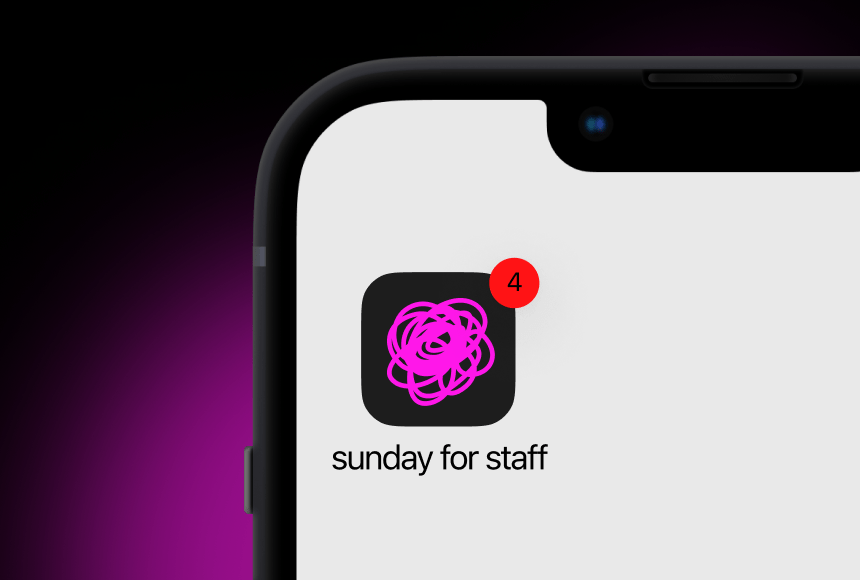
Take sunday, for example. As a payment solution specifically designed for restaurants, it allows diners to check out instantly via QR code, calculate tips with a tap, and even leave that all-important Google review — all within the same streamlined environment. This means restaurant owners don’t have to juggle multiple systems or pay for multiple subscriptions. Everyone, from the diners to the waitstaff, enjoys a frictionless process.
Crucially, having a one-stop platform can make your lunchtime operation more robust. You only have one system to maintain and keep up-to-date. Plus, if you do want to embed a loyalty programme or special lunch promo, everything is consolidated. That synergy saves time on staff training, too, which is vital if you deal with high turnover or seasonal workers.
12. Overcoming Common Obstacles
Switching from traditional service to a QR-centric system does come with hurdles. One of the main concerns is ensuring that diners of all ages and tech-aptitude levels can still comfortably place their orders. While lots of younger diners feel at home with QR codes, some might struggle without a paper menu.
- Provide a “backup” alternative: Always have a small stack of paper menus on hand for those who prefer them. Make it clear that your friendly staff can also assist with taking orders manually if needed.
- Ensure robust connectivity: Offer secure Wi-Fi so customers aren’t burning through their mobile data. If your restaurant is located in a basement or an area with poor reception, Wi-Fi connectivity is even more critical.
- Train staff for problem-solving: If a patron’s phone camera won’t open the QR code, your servers should calmly suggest solutions, such as providing a direct ordering link or a scannable alternative. The key is to keep stress levels low and maintain a sense of hospitality.
13. Crafting a Memorable Lunchtime Experience
Technology can be a fantastic enabler, but it’s the human factor that makes dining memorable. With QR ordering taking care of routine tasks, your staff can focus on the little things that delight customers:
- Chatting about the daily special or the chef’s latest creation.
- Ensuring water glasses are topped up and everything is neat and tidy.
- Offering personalised recommendations for the perfect quick lunch item.
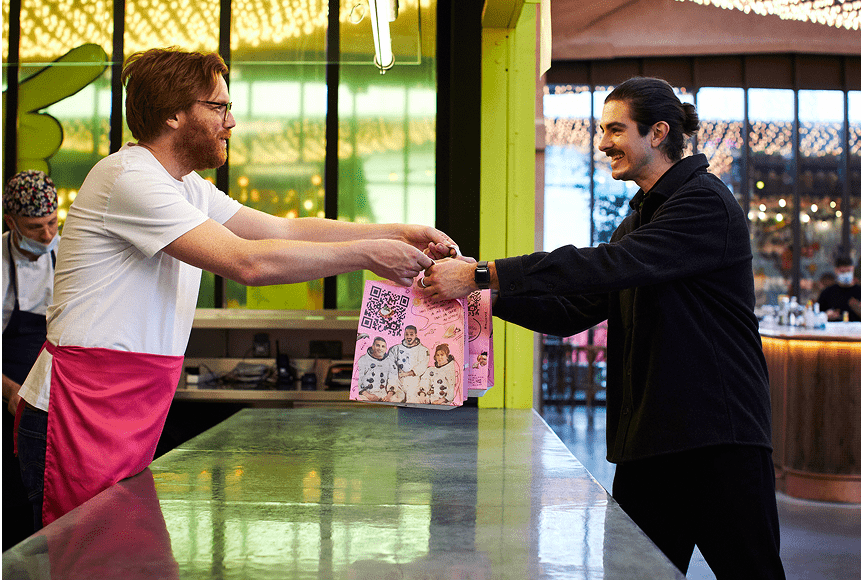
This is especially vital in a British context, where friendly banter and a sense of warmth can massively enhance a guest’s lunchtime break. Let QR technology do the heavy lifting, freeing your servers to provide that all-important human touch.
14. Marketing Your QR-Enabled Quick Lunch Service
Once your system is up and running, let your customers know! A few marketing ideas:
- Social media teasers: Share pictures of your digital menu and highlight how easy it is to order in under a minute. Instagram and Facebook can be effective channels here.
- Website banners: Put a notice on your homepage, emphasising that customers can “Skip the queue” or “Order & pay in seconds.” People often check out a restaurant’s website before visiting, especially for lunch reservations.
- Window signage: If you have a busy footfall area, a sign touting “Contactless QR ordering available” might pull in passers-by strapped for time.
- Email campaigns: Target your mailing list with a short overview of the new system and any promotional lunch offers to motivate them to try it.
Align your messaging with the tone of your customer base. If you’re a trendy city-centre café, a creative or playful element might resonate. For a more upscale clientele, you may focus on efficiency and modern elegance.
15. Measuring Success and Continuous Improvement
You won’t know if QR ordering is improving your lunchtime service without a method for gauging success. Metrics to pay attention to include:
- Averaged service time: Track how long it takes from seating to payment. Has this decreased since implementing QR menus?
- Table turnover rate: Are you seating more parties at lunch now?
- Order accuracy: Have incorrect or returned orders dropped?
- Customer feedback: Monitor Google reviews, direct feedback, and staff observations. Are people praising the speed?
Regular staff check-ins are also crucial. Are they enjoying the new workflow? Have they noticed any pain points? By acting on this feedback, you ensure your digital ordering system remains a tool for success rather than a source of confusion.
16. Final Thoughts on Embracing the Trend
In the hustle of a busy lunch rush, a well-implemented QR ordering system can be your new secret ingredient. It helps meet the rising expectations for convenience, speed and safety, while also giving you a chance to build meaningful connections with customers. The gastronomic journey begins not with a server’s notepad, but with a simple scan on a smartphone.
Whether you run a small bistro in a London suburb or a bustling brasserie in Manchester’s city centre, introducing a solid QR ordering solution can open up fresh possibilities — from faster service and better tips to loyal returns and glowing reviews. As restaurant culture continues to evolve, staying current with these digital innovations can give you a real competitive edge.
FAQ on Quick Lunch QR Ordering
1. Do I need an expensive system to implement QR ordering?
Not necessarily. Many QR ordering platforms have tiered pricing or modest monthly subscriptions. The key is finding a system that integrates smoothly with your existing EPOS setup and payment methods. Some solutions, like sunday, deliver an all-in-one experience without requiring a heavy investment in new hardware.
2. Will older customers struggle with QR codes?
It’s true that some guests prefer a traditional paper menu. You can offer both options. Set out a few paper menus and train your staff to assist anyone who’s less tech-savvy. This way, no one feels excluded or inconvenienced.
3. How do I handle connectivity issues?
Reliable Wi-Fi is a must for smooth QR ordering. If your restaurant is in an area with weak signal, invest in a robust Wi-Fi solution or range extenders. Providing a guest network can help keep the ordering process on track and reduce data usage concerns for your diners.
4. What if customers worry about data security?
Reputable QR ordering solutions adhere to strict security standards. Check if your chosen platform is PCI DSS compliant and highlight this information to reassure customers that payment details are safe. You can also advise diners to use secure digital wallets if they’re extra cautious.
5. Is QR ordering suitable for all types of dining establishments?
Yes, from casual cafés to mid-tier chain restaurants and even finer dining venues, QR ordering can slot into various concepts. The key is tailoring your digital menu and service style to match your brand identity and your clientele’s preferences.
6. How can I encourage people to leave Google reviews through the QR system?
Prompt guests at the end of their payment journey with a simple call-to-action: “Enjoyed your lunch? Give us your thoughts on Google!” The immediate prompt increases the likelihood of fresh, positive feedback while the dining experience is still top of mind.
7. Will QR ordering reduce staff jobs?
Usually, no. QR ordering streamlines operations, but staff are still essential for personal interactions, customer service, problem-solving, and ambience. It simply frees them from taking repetitive orders, so they can focus on delivering exceptional hospitality.
8. Can the system account for specials or out-of-stock items?
Yes, most platforms let you update your digital menu instantly. If you run out of a dish during a busy lunch, remove it with a few clicks. This avoids disappointment or confusion for your customers.


 0min
0min
 0min
0min