Navigating Restaurant Card Readers When the Temperature Drops
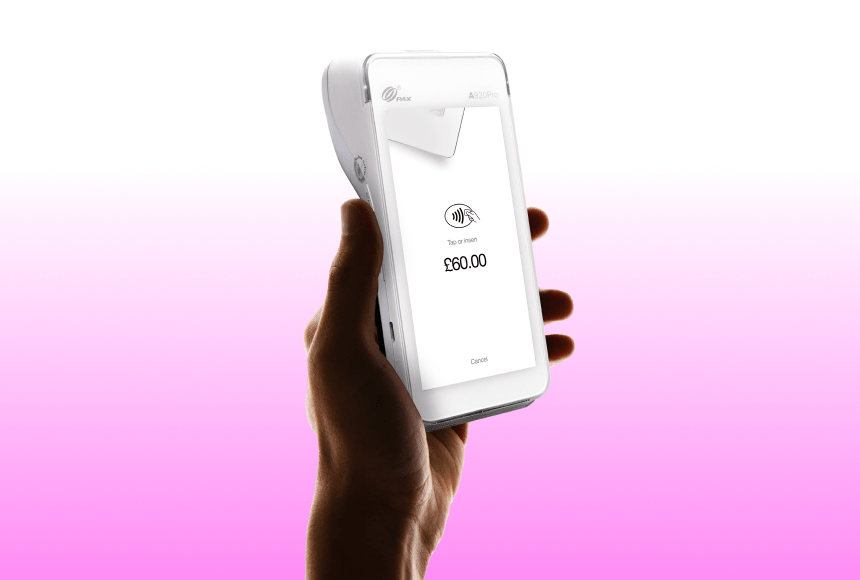
When winter temperatures drop, card readers in restaurants can quickly become a hidden source of disruption, affecting batteries, touchscreens and connectivity at the worst possible moments. Cold air, condensation and sudden temperature changes increase the risk of slowdowns or outright failures, especially for portable terminals used near entrances or outdoor areas. Anticipating early warning signs and adopting simple precautions—such as better storage, staff routines and regular checks—helps maintain smooth service. Complementing physical terminals with digital payment options like QR code payments further reduces dependency on cold-sensitive hardware. By combining preparation, organisation and flexible payment methods, restaurants can keep payments reliable, customers comfortable and teams focused, even during the harshest winter spells.
1. Setting the Scene: The Wintertime Payment Blues
Let’s be honest: UK winters can be a bit of a rollercoaster. One moment, you have a mild drizzle, and the next, you’re dealing with frosty mornings and chilly evenings that test everyone’s patience. As a restaurant owner, you’re not just juggling main courses and staff schedules; you’ve got your eyes firmly on customer comfort, smooth service, and timely payments. When temperatures plummet, the last thing you want is your card machines taking an unexpected holiday and leaving your diners unable to pay.
In a busy restaurant, a faulty card reader might seem like a minor inconvenience—until it starts happening multiple times a day and creates queuing chaos, frustrated customers, and even a dip in revenue. This is more than just a hardware hiccup: it’s a reality of our climate’s effect on technology. Yet there are ways to prepare and even turn the cold into an advantage—by showcasing top-notch hospitality combined with solutions that won’t freeze up at the first sign of frost.
2. Why Do Card Machines Struggle in the Cold?
Card machines (also referred to as card terminals or card readers) are electronic devices. Like any piece of tech, they have optimal operating temperatures and environmental tolerances. When it’s very cold outside—or if your restaurant’s entrance area is particularly drafty—these machines can start to show signs of failure. But why does this happen?
- Battery performance drops: Cold weather slows down chemical reactions inside lithium-ion batteries, reducing their efficiency. This means that if your card machine relies on battery power (for instance, portable ones that servers bring directly to the table), you might see a quicker drain or sudden shutdowns.
- Condensation buildup: Rapid temperature shifts—say, from a toasty kitchen to a chilly terrace—can lead to moisture forming inside the device. Over time, this can wreak havoc on the electronics, causing short circuits and general malfunctions.
- Touchscreen glitches: If your card reader has a touchscreen, cold environments can affect the device’s capacitive or resistive technology. That might result in slower touchscreen responses or even complete unresponsiveness.
- Slower network connections: In particularly harsh conditions, external communication lines or local network components might lag or temporarily disconnect, making it harder for the card machine to process payments in real time.
According to the Met Office, the UK experiences an average of 22 days of frost in winter months (though this can vary geographically). Whenever these cold snaps occur, sensitive electronic devices are at higher risk of malfunction—but this doesn’t mean your restaurant has to suffer lost sales or confused customers. Understanding these issues is the first step toward an effective solution.
3. Early Warning Signs: Picking Up on Device Distress
Not all card machine problems suddenly appear out of the blue—most show a handful of signs of “mechanical misery” before they fully give up. Recognising these early can help you step in promptly and avoid a mini crisis. Some subtle indicators might include:
- Sluggish startup: The machine takes longer than usual to switch on, or reboots immediately after turning on.
- Occasional connectivity dropouts: Payments keep timing out, or the terminal finds it harder to latch onto Wi-Fi or 3G signals.
- Battery that drains in record time: If a device regularly holds its charge for an entire shift but suddenly needs recharging after just a few transactions, cold weather may be accelerating its natural wear.
- Delayed transaction confirmations: You and your customer wait awkwardly as the machine “processes” only to fail or require a second attempt.
Keeping an eye out for these symptoms can save you from a cold-weather catastrophe during your busiest service times. A quick conversation with your staff can also help, as they’re the ones most hands-on with the terminals. Even a passing comment like “It’s a bit slow today” can be enough to prompt a deeper check into potential issues.
4. Physical Precautions: Protecting Your Card Machines from Winter Woes
When it comes to shielding your devices from the worst of the weather, a handful of best practices can make a huge difference. The goal is to reduce exposure to extremely low temperatures and manage the transition from a cold exterior to a warm interior with minimal disruption. Here are some ideas to keep your card machines feeling as snug as your customers:
- Limit outdoor usage: If you have an alfresco dining space or pop-up stand, try to keep the card reader indoors until the last possible moment. Minimising the time it spends in the cold is an easy way to cut down on temperature-related issues.
- Use protective covers: Water-resistant and cold-resistant pouches or cases can help maintain a more consistent temperature around the device. They also give you a layer of defence against potential condensation or accidental drink spills.
- Store in a warm place overnight: Avoid leaving card machines in storage rooms that aren’t heated or that are prone to frost. Bringing them into a temperate environment after service can extend their lifespan.
- Beware of quick transitions: Going from a hot kitchen to a near-freezing garden area can trigger condensation. Let your device reach room temperature slowly before using it in drastically different conditions.
- Regular cleaning and wipe-downs: Keep your terminals clean and dry. Pay special attention to any ports or charging docks that could hold moisture. Even a small amount of water can lead to big problems if it seeps inside.
Think of these measures like dressing your card machine in warm layers—just as you’d layer up to brave the elements, your terminals need solid protective strategies to remain reliable no matter what the British winter throws at you.
5. Operational Tips for Reliable Performance
Preparing your equipment physically is half the battle, but operational best practices can be just as crucial. Some restaurants lean toward “firefighting,” reacting only when the machine fails right as a queue forms at the bar. Instead, a proactive routine can sidestep a lot of headaches. Below are some tried-and-tested operational approaches:
- Batteries: Use backups and rotate them If your terminals have swappable battery packs, consider investing in an extra set and rotating them regularly. Keep one set charging in a warm spot, so each machine always has a fresh battery to hand.
- Enable multiple payment methods Diversify your payment options. Alongside your physical card machine, accept mobile payments or QR code-based services. That way, if one system falters, you can quickly switch to another.
- Schedule regular downtime Just like your staff, machines benefit from a break. Switching off a device momentarily can help reset any system lag. Implementing this as a daily routine—perhaps after lunch service, before the evening rush—keeps your terminals running smoothly.
- Arrange routine maintenance checks A short monthly hardware inspection, maybe performed by your manager or trusted supplier, will weed out small problems before they become big ones. Checking cables, scanning for any outward damage, and ensuring software is up to date can prevent winter from becoming the real culprit.
- Have a clear staff protocol Everyone on your team should know what to do if a card machine starts acting up. This includes reboot procedures, fallback payment methods, or guiding customers to an alternative device. Efficiency and clarity save time and embarrassment.
6. Digital Alternatives and the Role of Innovative Solutions
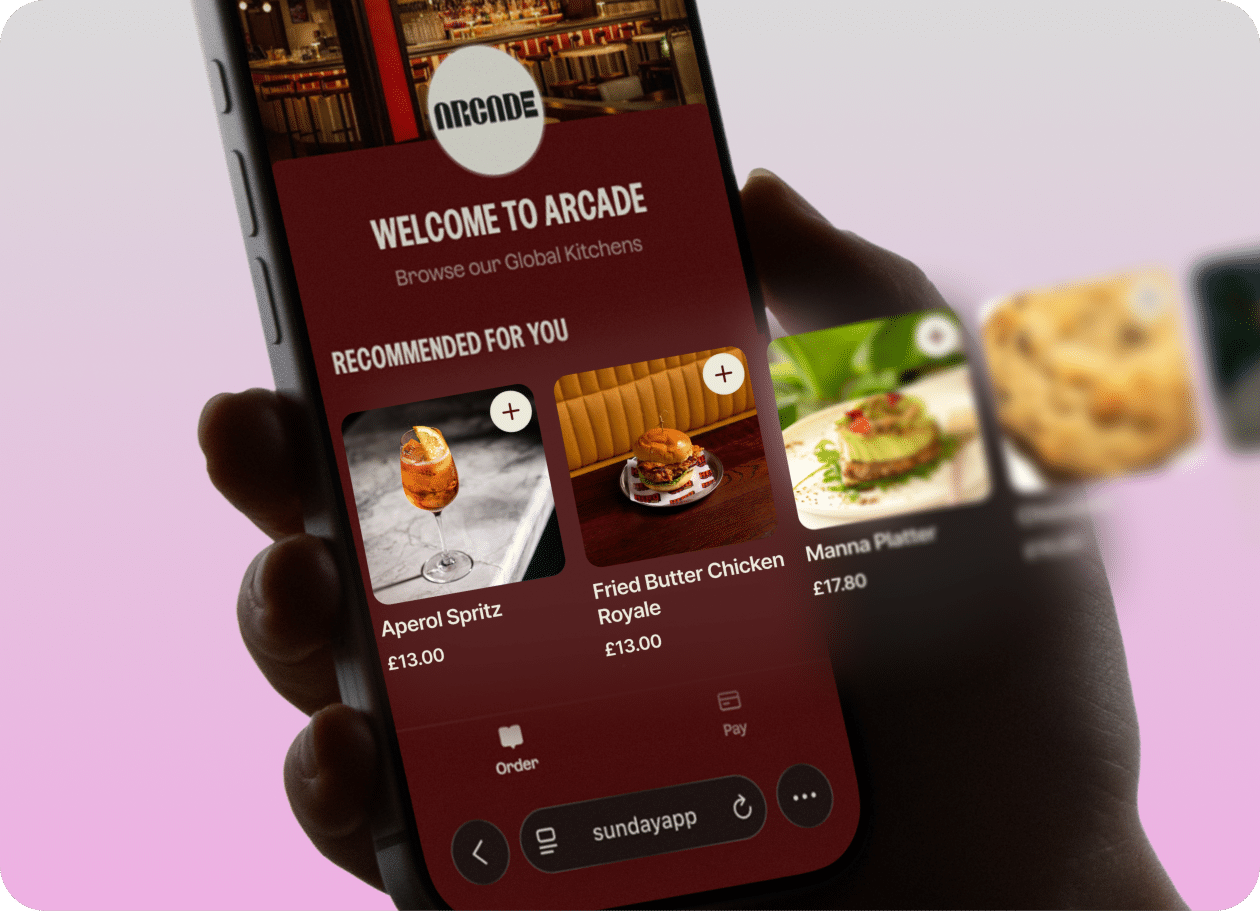
Technology is racing ahead, and with it, the perception of how a transaction should take place in restaurants. Increasingly, diners expect a smooth, app-based payment flow. One solution that many operators already rely on is a QR code payment system. Instead of waiting for the server to bring the card machine—and praying the battery hasn’t died in the cold—customers simply scan a QR code that’s printed on their receipt or displayed on the table.
This approach has several perks beyond cold-weather resilience:
- Speed: Paying via a QR code can be faster than waiting to process a physical card. Customers handle most of the process on their phone, which they already trust and use daily.
- Reduced hardware dependency: By removing the reliance on a single device, the restaurant minimises the risk of failed transactions or hardware downtime.
- Enhanced customer experience: A frictionless payment method often translates into customer satisfaction. Moreover, cloud-based systems can allow guests to leave a tip or instantly post a review without juggling multiple screens.
- Less queueing: Table turnover time can improve if customers can pay at their own pace. This might not seem like a winter-specific advantage, but every saved minute counts when you’re managing a toasty dining room and trying to seat guests who don’t want to wait in the cold.
At this point, many restaurant owners discover sunday, a QR code payment solution that simplifies table payments, speeds up tipping, and even encourages diners to leave valuable feedback online. Without needing an additional piece of hardware, you’ve basically bypassed the classic problems plagued by cold or fluctuating temperatures.
7. Real Stories: Cold Weather Lessons from the Restaurant Floor
When you’re in the thick of dinner service and the mercury outside is hitting negative digits, real-life anecdotes often illustrate the pitfalls and best practices more vividly than theory. Let’s look at two short but telling experiences:
- The High-Street Café and Battery Bust A small café in Manchester found that its handheld card machines would consistently power down halfway through the lunch rush. After a few frustrated customers and missed sales, the owner identified that the morning staff kept the device near the door for convenience. The constant blasts of cold air from customers entering and leaving drained the battery faster. A simple routine change—storing and charging the machine in a cupboard closer to the central heating—resolved the issue almost overnight.
- The Pop-Up Kiosk Saved by QR Codes A winter pop-up kiosk at an annual Christmas market in London had limited power outlets and exposure to near-freezing winds. Traditional card readers were failing daily. Switching to a QR code-based payment system meant staff only needed battery power for a single smartphone to monitor transactions. Customers scanned and paid on their own smartphones; hardware crashes became a non-issue. The kiosk actually saw an increase in sales when passing foot traffic discovered how quick and convenient paying was.
These snapshots underscore the importance of thinking creatively about both the environment and the hardware. Being proactive with your setup can transform seasonal struggles into well-oiled, profitable operations.
8. Additional Practical Tactics to Keep Your Business Flowing
If you’re already getting anxious about the next cold snap (or you’re reading this with icicles on your window ledge), here are a few more tidbits of advice to keep your restaurant running smoothly. Think of it like perfecting a classic recipe: you start with the basics, then add in a few professional touches to truly stand out.
- Create a device rotation schedule: Spread out your card machines so they’re not all in suboptimal conditions simultaneously. This gives each unit a fair share of “warm” resting time.
- Consider “booster” charging stations: In particularly cold spaces, invest in charging docks or stations that provide a bit of warmth (within safe limits). This helps the battery retain more charge and remain ice-free.
- Check your receipt printer: Thermal printers can also suffer in cold temperatures, causing faint prints. Ensure you’re using high-quality thermal paper and store it away from draughts.
- Train a “device champion”: Appoint a tech-savvy team member to oversee periodic checks, manage firmware updates, and handle quick fixes. It saves time for other staff and ensures an expert is always on hand.
- Offer contactless and phone-based payments: Most modern card machines accept contactless, which generally speeds up queues. When these machines work in tandem with phone-based checks (like Apple Pay or digital wallets), the friction is minimal, especially in bustling spots.
While no system is 100% weatherproof, layering these small yet effective tactics can turn your payment processes from fragile to robust, even when the forecast doesn’t look friendly.
9. Wrapping Up (Without Freezing Up)
As a restaurant owner, weather-related issues extend far beyond whether your beef stew or roasted veggies will sell well. Hardware that fails because of temperature extremes can quickly become a bottleneck for the entire service, creating frustrated staff and diners who might take their business elsewhere.
Still, by understanding the root causes of cold-related card machine hiccups—and by putting in place protective strategies—you can transform winter’s chill from a foe into just another seasonal challenge that you handle with flair.
Remember that diners appreciate consistent service. If they can pay without fuss—even when it’s windy and frosty outside—they’re far more likely to have a positive memory of your place. And, of course, digital payments can help keep things moving along nicely. From a short battery life to icy gales that threaten to kill your terminal’s touchscreen responsiveness, advanced preparation is the difference between a minor inconvenience and a major meltdown.
After all, your restaurant is built on hospitality, good food, and an inviting atmosphere—qualities that shine through even in the harshest of British winters. When you stay proactive, keep your equipment warm, and embrace flexible payment solutions (like the ever-handy QR code), you can welcome your customers into a cosy environment where payments are the least of everyone’s worries.
Frequently Asked Questions
1. How can I tell if the cold has damaged my card machine? Watch for recurring connectivity failures, abrupt shutdowns, or battery drains. If you notice these issues repeatedly—especially during cold snaps—it’s likely the temperature is affecting the electronics. Conduct a basic inspection, and if needed, arrange professional maintenance.
2. Are card readers more prone to failing than other devices in winter? Card readers are no more inherently fragile than many other handheld electronics. However, they are designed for specific temperature and humidity ranges. Prolonged exposure to cold or sudden temperature changes can exacerbate wear and tear.
3. Is it safe to use a portable heater near my card machine? Use caution. While gentle warmth helps keep electronics functioning, direct heat sources can cause damage or even overheat the device. Always follow manufacturer guidelines and maintain a safe distance between heaters and your electronics.
4. Do I need a QR code system if I already have reliable card machines? It’s not a requirement, but adding a QR code payment option can provide extra resilience. If your card machines suddenly fail, you still have a quick, hassle-free way to let customers settle their bills and leave a tip.
5. Where can I learn more about contactless and digital payments in the UK? Organisations like UK Finance publish data and guidelines on the current state of contactless and digital transactions. This source can keep you updated on the latest trends, security measures, and regulations.


 1min
1min
 1min
1min